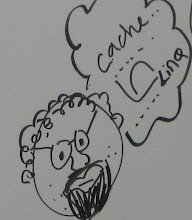
We had a very good CloudCamp in LA. It was my first unconference – I was not sure what to expect and what I will learn. But at the end of the day [around 11.45 PM or so], when I was walking up to my underground garage on the corner of 5th and Olive, I felt really good about it. It was on the fly brainstorming session with 100 plus technology related folks.
The way this camp was conducted is impressive and food [please read it as free food] was awesome. They had unlimited beer for those who would like to climb up in the cloud before getting into any serious conversation…
We focused on the general theme of data in the cloud. I started the conversation with CAP [not CRAP]. C: Consistency, A: Availability and P: partionshing [a.k.a. load balancing, scaling etc.]. It is mathematically proven that one can have any two of these three qualities in any massively distributed system. Now if we are building an app for the cloud – this principal is very important as there is a network in the middle… it was a discussion that could almost go on for days if not weeks, and we had to wrap it up in half an hour. So the conclusion was twofold – know the limitations and choose what you want before you build your app – you can have any combination of CAP – viz – CA, AP or CP but not all…
Then Lynn Langit of the Microsoft presented on SQL Azure. It was a very good, house full presentation. Our small room was jam packed to its limit and Lynn did a great job of introducing this RDBMS in the cloud. Yes, we heard all those legitimate concerns one more time – how can you build a real database with 10 GB, and what about replication? But as Lynn said this is V1 [and we know from our experience that MS gets the right product out with V3]. I learned one important lesson in this session – when there are non-microsofties around – explain every acronym you use. For them PDC and RTM is like JAOO to the Microsoft community.
Our final talk was on scaling the data in the cloud. From what I understood [which might be way off the mark], there is altogether other alternative to the RDBMS model. Things like Tokyo Cabinet and hadoop , HBASE, CouchDB, etc. [WOW – I remembered all these things]. The point of this discussion was, start thinking outside the box. There are other ways to think about transactions – like BASE, and ACID is not the only way to achieve the consistency. This session was more techno- philosophical. Take away, as per our DBA friend –“RDBMS is crap, start thinking about alternatives”. In the end, the data structures you want to use depend on the type of applications you want to build. Facebook and banking app are two extreme end points on this scale, and have their unique requirements. Albeit, both of them deal with large datasets…
In the end, walking back to the parking lot, I heard this interesting comment –“I went to watch a movie and they told me to act in it, there was no Tom Cruise or Don Box, Lary Ellison in the room, and I ended up presenting the show. Oh! Well – thank god my wife was not in the room…please pardon me if I said something stupid, you know I was little bit drunk…”
abhi
www,zimbatech.com
Thursday, October 1, 2009
LA CloudCamp -Data in the Cloud


Saturday, September 26, 2009
SQL Azure Object Browser
Yesterday, I did a blog post on how to alter a stored procedure. On Microsoft Azure Forum, Gaurav has suggested two very good options. Both of them are a scale down version of SSMS - but are way better than the existing support of SSMS for SQL Azure - they provide decent object browser and you don’t have to cancel the login first time you connect to the SQL Azure database...
1. Cerebrata supports Windows Azure Platform. An online demo can be found on
http://www.cerebrata.com/Blog/post/Browser-based-SQL-Azure-Explorer...
I am impressed with the functionality offered here
2. SQL Azure Manager by http://hanssens.org/post/SQL-Azure-Manager.aspx
This is a ClickOnce app and only supports table and views but you can run your TSQL here. One can use a combination of these two apps to simulate almost 75% of the SSMS support and is good enough for most of the routine stuff.
abhi
www.zimbatech.com
Friday, September 25, 2009
Alter Stored Procedure in SQL AZURE
Absence of object browser in SQL Azure throws many challenges. For example, how would you update a stored procedure in your SQL Azure database? The challenge is to get the source code from the cloud database.
select * from sys.objects
will only display the objects in your database and not the source code for any stored procedure or view etc.
Here is my hack to get the source code for any stored procedure.
1. SELECT * from information_schema.Routines
Will give you the list of all stored procedures. For example you want to alter the stored procedure usp_Test. Then
SELECT routine_definition from information_schema.Routines where specific_name ='usp_Test'
Now copy the contents of routine_definition – this is the source code for usp_Test. In my case this is
CREATE PROCEDURE usp_Test AS BEGIN -- SET NOCOUNT ON added to prevent extra result sets from -- interfering with SELECT statements. SET NOCOUNT ON; -- Insert statements for procedure here select count(*) as TotalVisits1 from visits END
3. format this code
CREATE PROCEDURE usp_Test
AS BEGIN
-- SET NOCOUNT ON added to prevent extra result sets from
-- interfering with SELECT statements.
SET NOCOUNT ON;
select count(*) as TotalVisits1 from visits
END
4. change CREATE PROCEDURE to ALTER PROCEDURE
ALTER PROCEDURE usp_Test
AS BEGIN
-- SET NOCOUNT ON added to prevent extra result sets from
-- interfering with SELECT statements.
SET NOCOUNT ON;
select count(*) as TotalVisits1 from visits
END
Update the source code as required and execute the TSQL
5. This will update your stored procedure in the cloud database.
I guess, best practice would be to mantain a local copy of your database and keep it in sync with your cloud database. That way we can run the code on our local copy and just run the script against the cloud database.
Oh! Well – we are just learning and I did not have a local copy of my test database. Again, this is not an elegent solution but it does work, so if you can recommend / find any better solution – please let us know…Thanks.
Monday, September 21, 2009
SQL AZURE Service
Finally, I got the SQL Service up and running. It is running of the hosted server
MyCloud Service
While working on this app, I found some interesting things. Here is a short summary
1. select * from sys.objects IS YOUR NEW OBJECT BROWSER
2. truncate table tablename will not work in SQL Azure - yes,drop and delete does work.
3. select @@servername will not work but select @@version does work
4. DO NOT TRY exec sp_help and exec sp_who – it will not work
5.Insert WILL NOT WORK if you forget to add a primary key on your table - For example
create table test
(
my_id int,
my_name varchar(10)
)
insert into test values (1,'abhi')
and you will get an error –“ Heaps can not be replicated tables. Please create a clustered index for the table.” . Just add a PK on my_id and things will work as expected
6. Migrating data from your local DB to the cloud is not easy - check out >http://www.stephenforte.net
7. Copy connection string from your >https://sql.azure.com/ServerInfo.aspx page - this is the easiest and fastest way to connect your app with SQL Azure
Also,I will be presenting on SQL Azure in the upcoming SoCal Code Camp 2009 @ USC
Saturday, September 19, 2009

Thursday, September 17, 2009

Wednesday, September 16, 2009
Gone with the wind…
Recently, I drove almost 85 miles for an interview. When I entered into the office, I was greeted by a very enthusiastic developer. And then came the moment of truth – he walked me into a room and told me to take a hands-on programming test. OK. The test was on VB6 programming. Well, what happened next is a very funny story, but it kept me nagging that I haven’t thought about VB environment for long time…with all this .NET code around, I just forgot about my old pal VB. Yes – it’s been almost a decade for me when I wrote any code in VB. And then while talking to somebody on COM/DCOM horror stories – I was told that the official support for VB development environment is gone. I found following post on VB resource center
“The Visual Basic 6.0 IDE will be supported on Windows Vista and Windows Server 2008 as part of the Visual Basic 6.0 Extended Support policy until April 8, 2008… ”
From http://msdn.microsoft.com/en-us/vbrun/ms788708.aspx
Yes – VB runtime will be supported till 2019, but support for Visual Studio 6 is gone. Well, everyone using VB 6 is aware of this fact, but for me, on personnel note – it is a weird feeling...
"I have forgot much, Cynara! gone with the wind."